Every feature from all five editions for 15 days.
Quality Control & Improvement edition from US$ 290 a year · 30-day money-back guarantee.
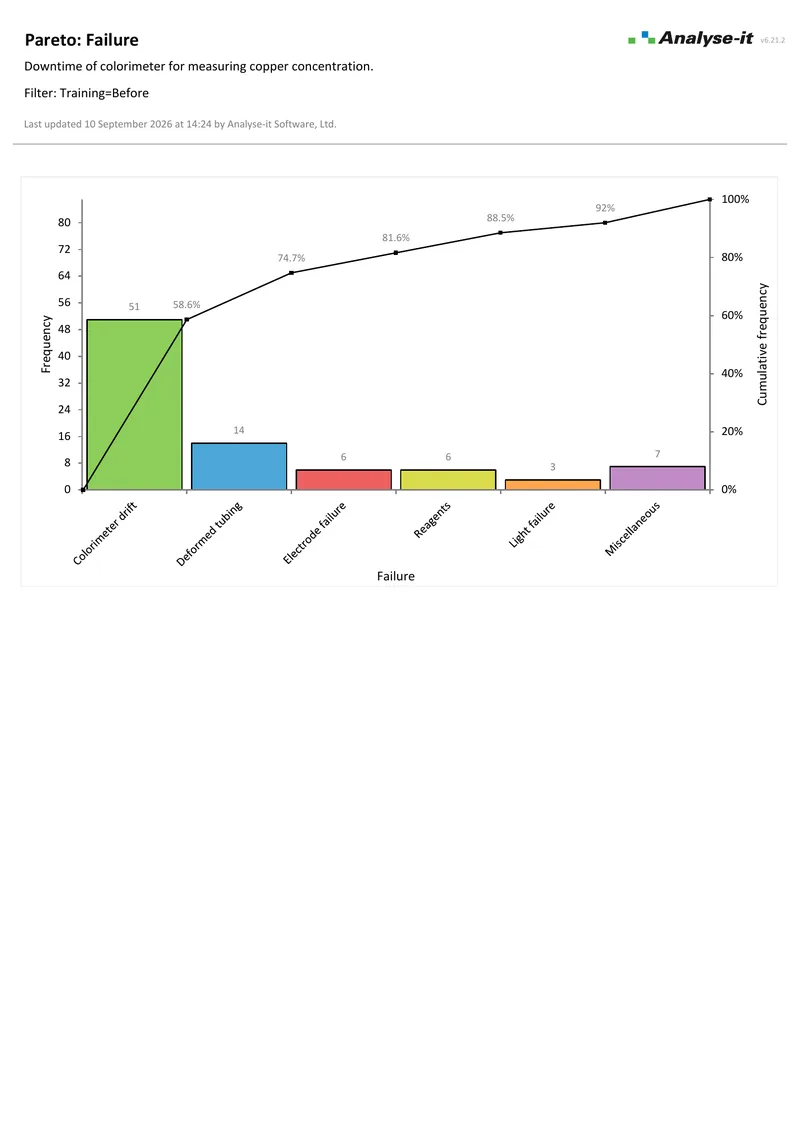
Excel’s built-in Pareto chart ranks the categories, draws the cumulative line and stops. No second factor, and no merging of the small categories into one bar. The ranking identifies the vital few — but it does not tell you why those failures occur. The same defect type may be concentrated on one shift, one machine or one operator.
Which categories account for most of the occurrences? Is the dominant defect spread evenly across shifts, or concentrated on one? Does one operator account for a disproportionate share? Did a change between periods reduce the right category?
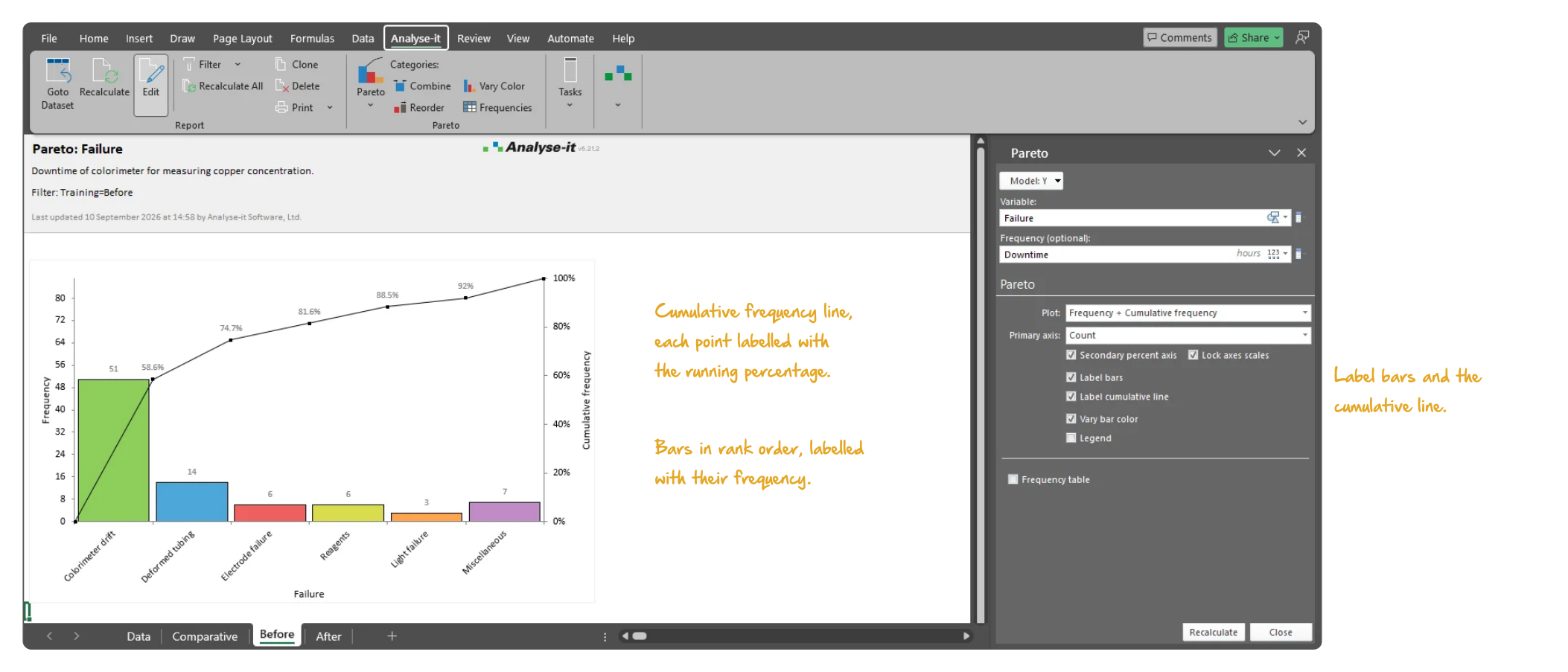
Most occurrences come from a few categories. The Pareto chart ranks defect categories by frequency and draws a cumulative percentage line. The cumulative line shows immediately which categories account for most occurrences — such as the three defect types responsible for 80% of rejects on a production line. Build the chart directly from a defect log or inspection data.
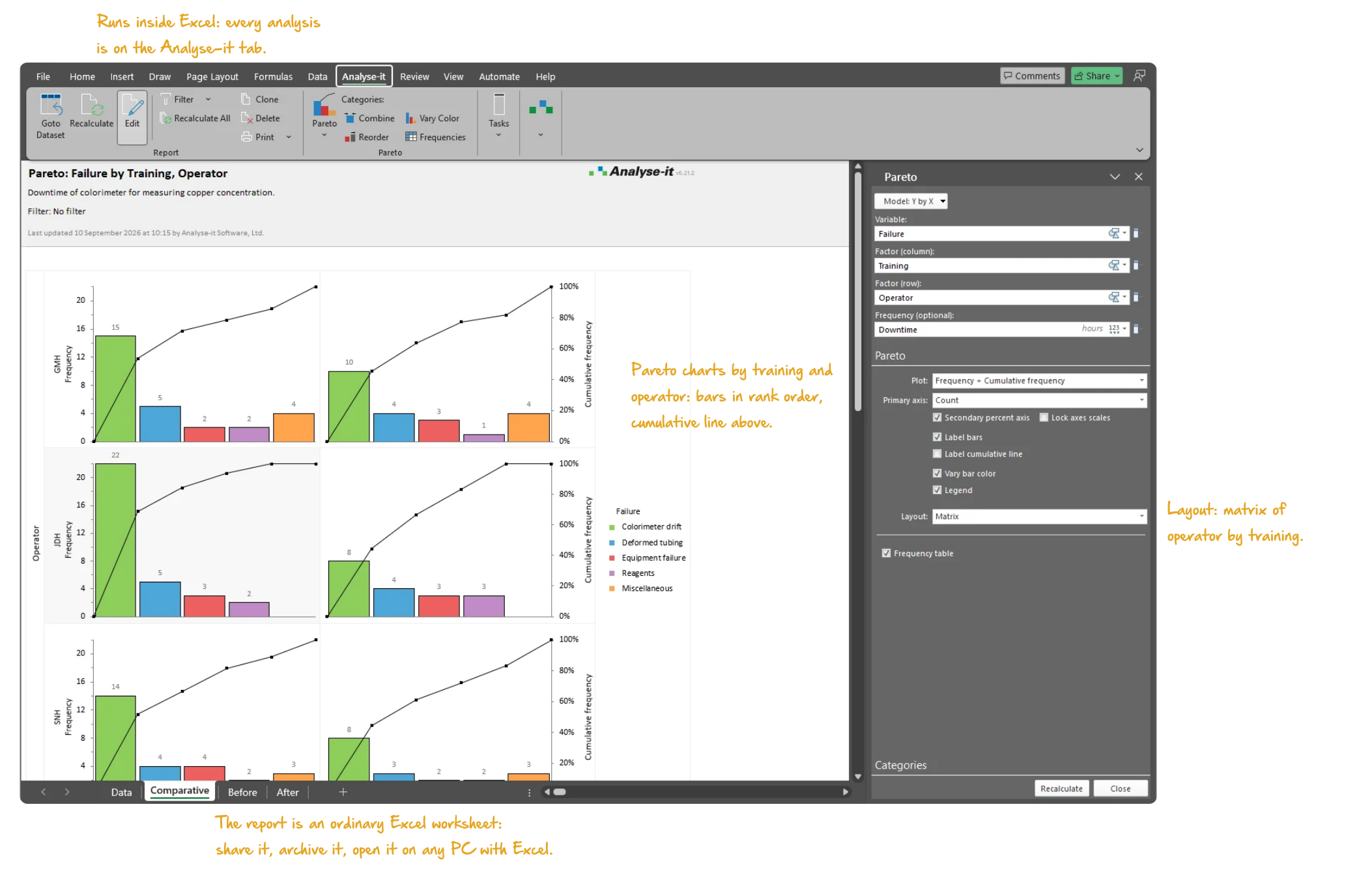
Comparative Pareto charts split each category by a second factor — operator, shift, machine, product line, time period or any factor in the data. A one-way chart compares by one factor, a two-way chart by two. See whether a dominant defect is spread evenly across shifts or concentrated on one, and whether one operator accounts for a disproportionate share. Compare periods to see whether a change reduced the right category.

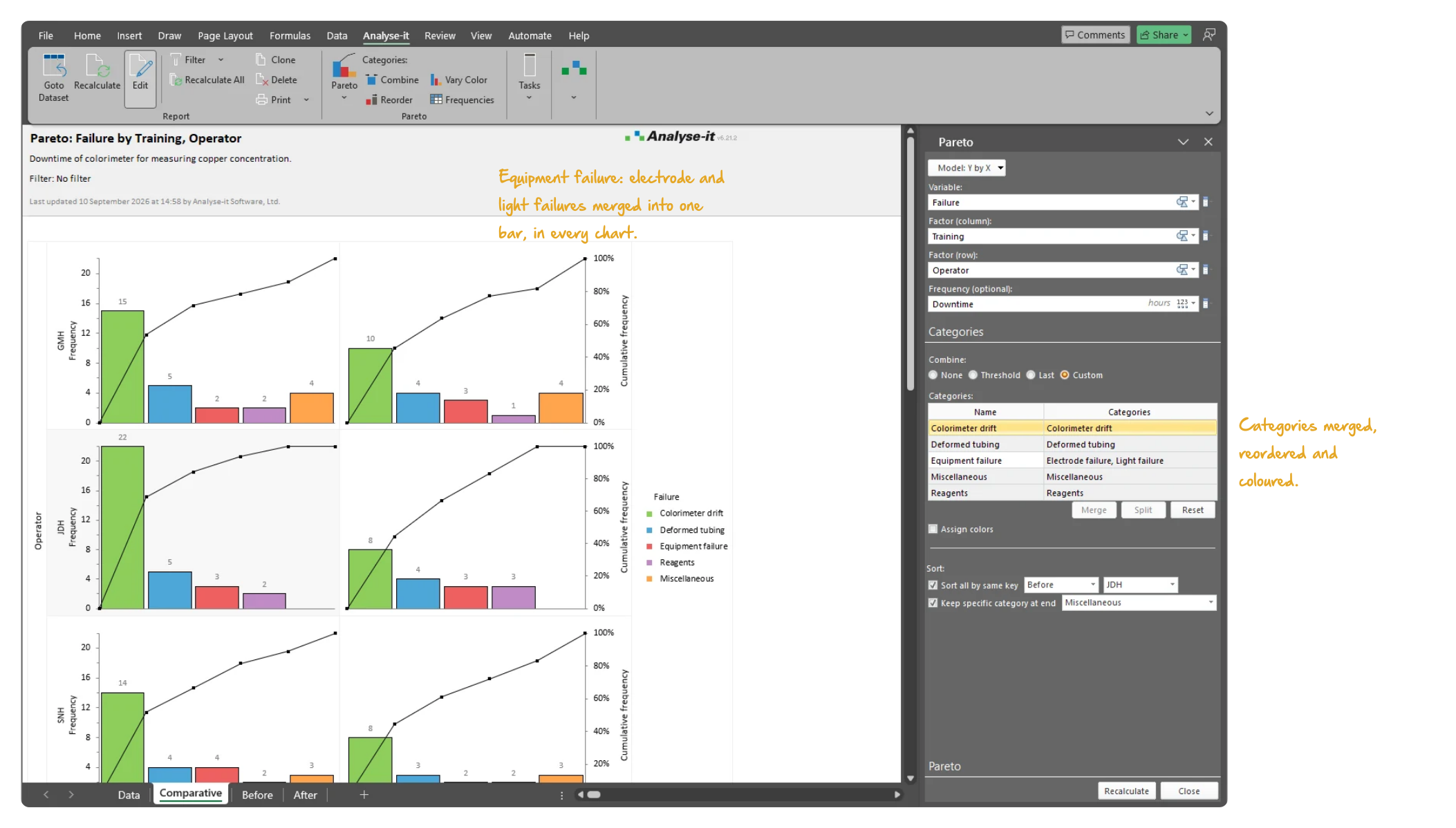
A chart with twenty categories is harder to act on than one with five plus Other. Merge low-frequency categories into a single “Other” bar to reduce clutter. Reorder bars to group related defect types together when frequency order is not the grouping you need. Colour bars to draw attention to priority areas, or to distinguish subgroups in a comparative chart.
A Pareto chart shows where to start; the rest of the edition shows whether the change worked. Identify the top defect with Pareto analysis, then set up a control chart on the same data to track whether it improves over time. Run a capability analysis to quantify how far the process is from meeting the specification. Use hypothesis tests and regression from the included Standard edition to confirm root causes and measure the effect of changes.
See Pareto output in detail — comparative charts by operator and training status, with merged categories and colour coding.
Pareto analysis is one part of the complete SPC and improvement toolkit. The Quality Control & Improvement edition also includes Shewhart, CUSUM and EWMA control charts with detection rules, phases and stratification. Process capability analysis (Cp, Cpk, Pp, Ppk, Cpm, Z-benchmark) and the full Standard edition, with hypothesis tests, ANOVA and regression, are included as well. See everything in the Quality Control & Improvement edition →
Related guides in the Learn section: Pareto analysis and the 80/20 rule.
Try it on your own data first. The 15-day trial is every feature from all five editions — install it and start straight away.
Quality Control & Improvement edition: US$ 290 per year or US$ 760 for a perpetual licence. Every purchase carries a 30-day money-back guarantee. Need a quote for purchasing? Choose the licence on the pricing page and click Get a quote.