Every feature from all five editions for 15 days.
Quality Control & Improvement edition from US$ 290 a year · 30-day money-back guarantee.
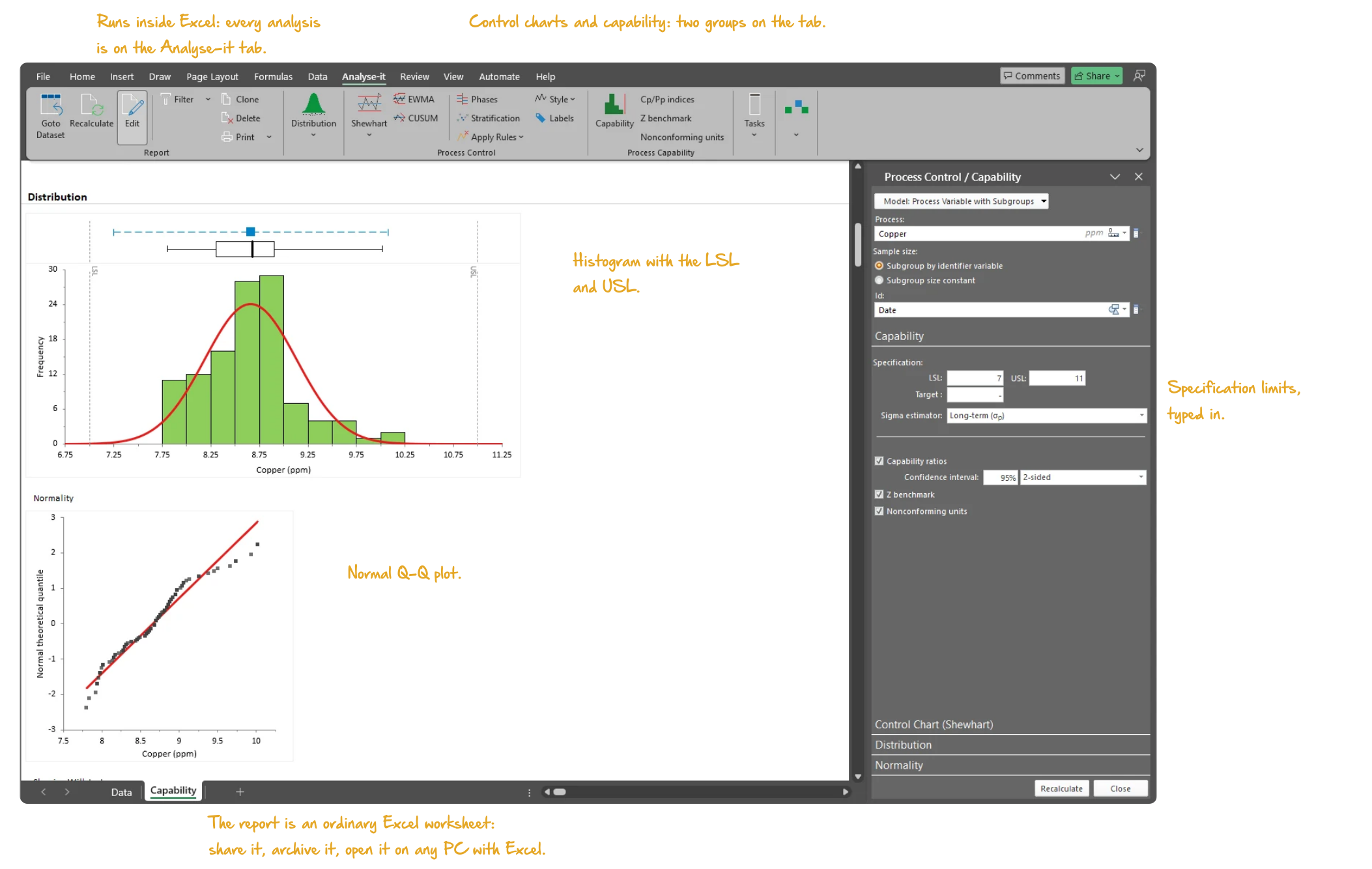
Excel has no capability analysis. Cp and Cpk come from formulas typed by hand, with no confidence interval, no check that the process is stable and no check that the data are normal. A capability index calculated from an unstable process is a meaningless number. An index calculated from non-normal data is a misleading number. Both mistakes are common, and they happen more easily when control charts and capability analysis live in separate tools.
Is the process stable enough for an index to mean anything? Are the data normal, or do they need a transformation first? Can the process meet the specification, and how much of what it delivered actually fell outside it? What sigma level does that correspond to?
A capability index says whether the process can meet the specification when it runs in control. Cp, Cpl, Cpu, Cpk and Cpm are calculated from within-subgroup variation, so they reflect what the process can deliver rather than what it happened to deliver. A Cpk of 1.33 means the nearest specification limit is four standard deviations from the process mean; below 1.0 the process is not capable. All are reported with confidence intervals.
Capability and delivered performance are different questions, and the gap between them is informative. Pp, Ppl, Ppu and Ppk are calculated from total process variation, so they reflect what the process actually delivered over time. A process with a good Cpk but a poor Ppk has capability that is not being realised, which points to special-cause variation that needs investigation. Pp, Ppl, Ppu and Ppk also come with confidence intervals.

An index alone does not say how many units will fail. Nonconforming unit estimation gives the observed percentage, the expected percentage and the expected parts per million outside each specification limit. The practical impact on yield is quantified rather than implied. Z-benchmark, short-term and long-term, and sigma level are calculated directly from the data for Six Sigma programmes.
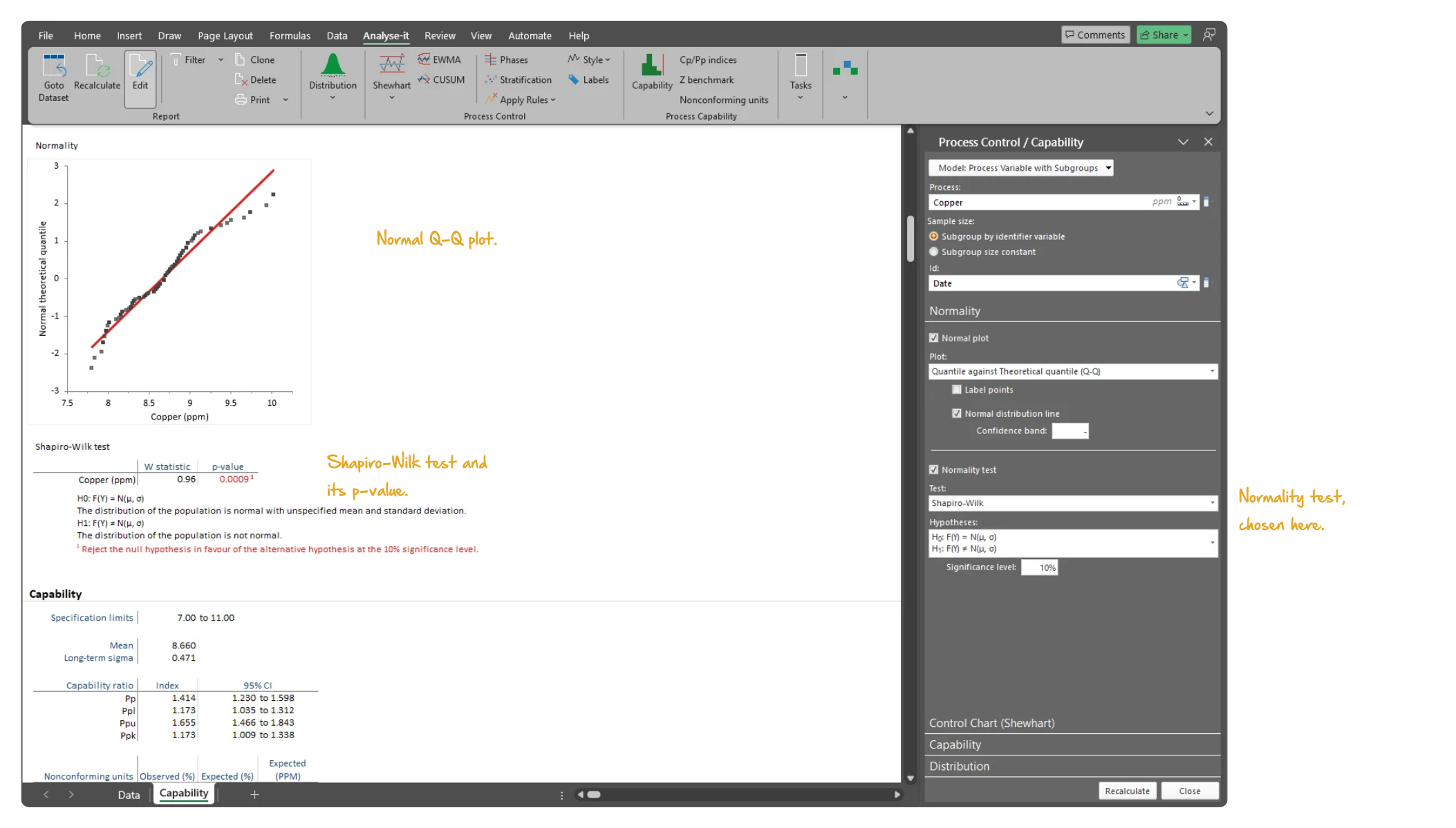
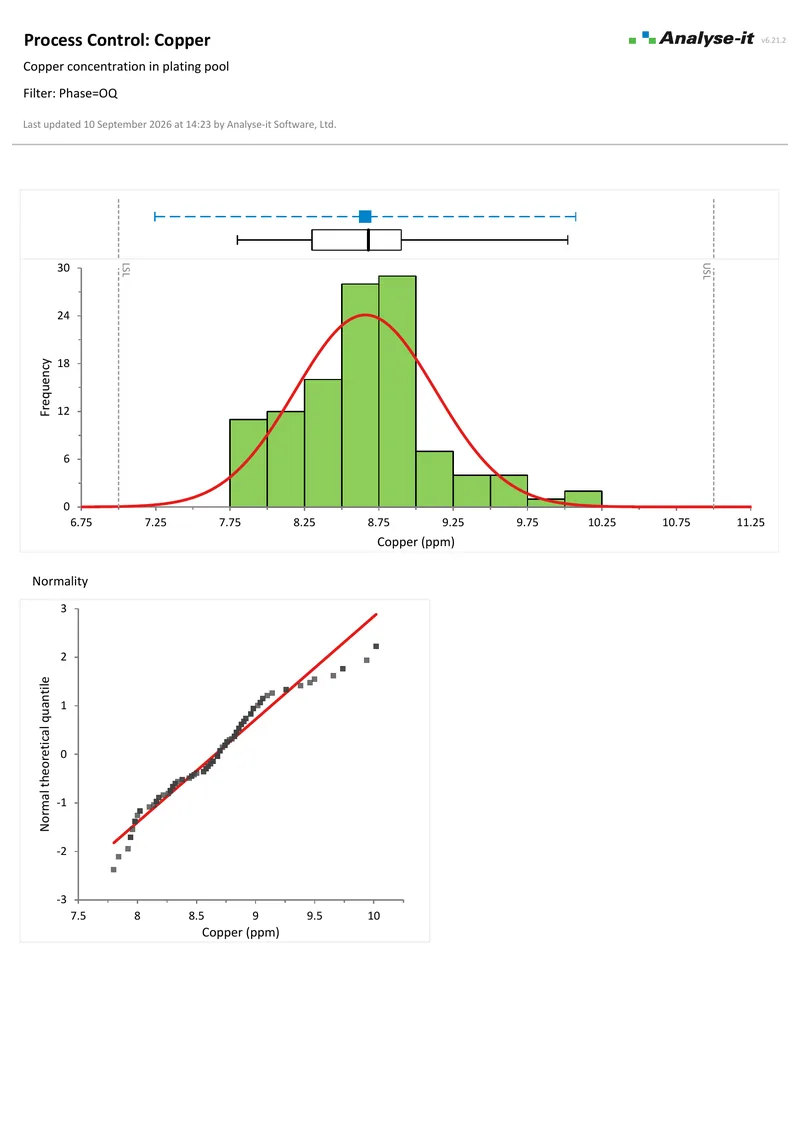
Indices calculated from non-normal data are misleading, and non-normal data are common in real production. A histogram with the specification limits and a normal Q-Q plot with Lilliefors confidence band are included with every analysis. The distribution is assessed before the indices are read. Where the data are non-normal, Box-Cox and other power transformations bring the distribution into a form where the indices remain valid. The Q-Q plot of the transformed data confirms the transformation worked before you report the result.
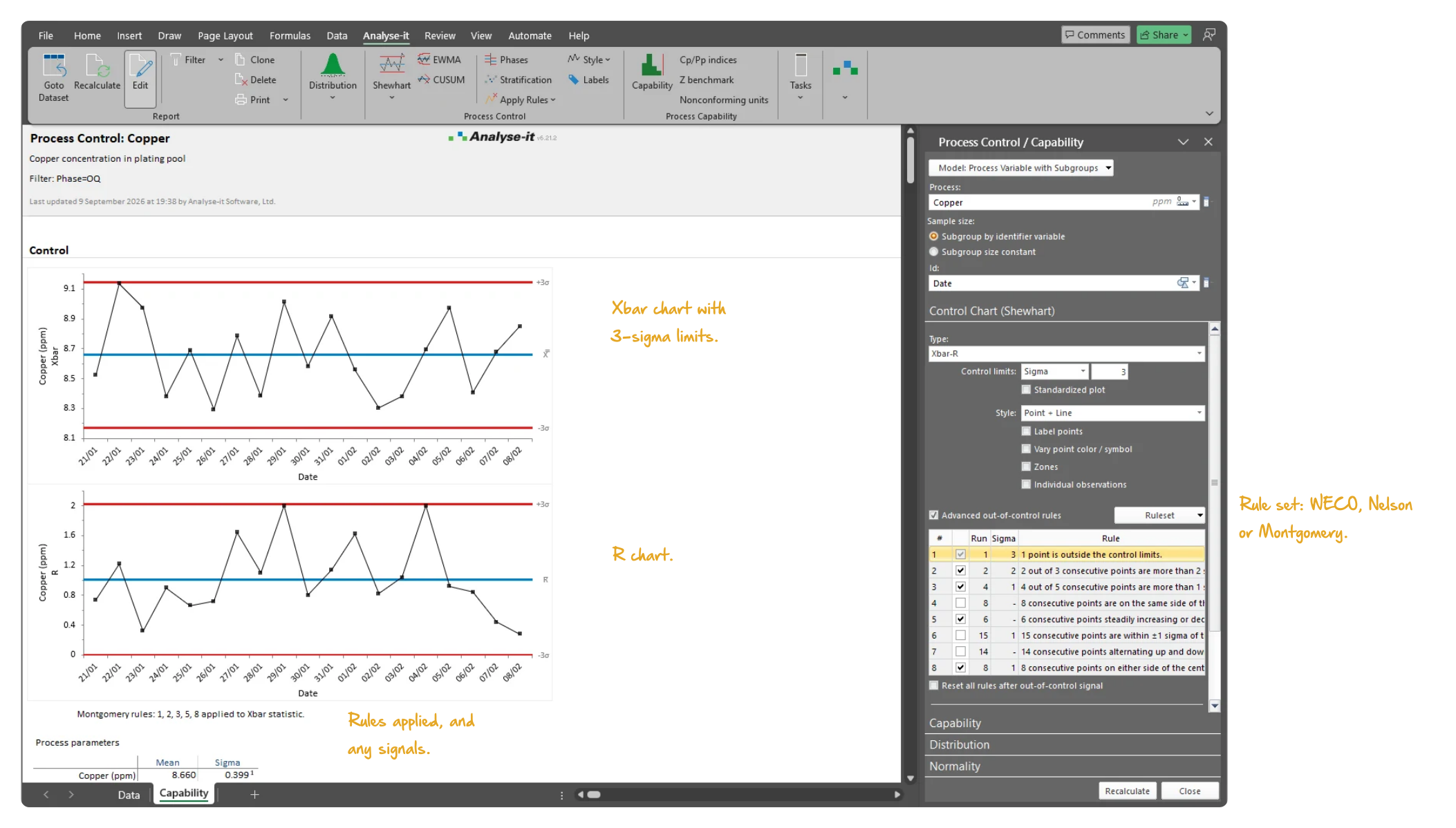
A capability index from an unstable process is a meaningless number, so stability comes first. Shewhart variable and attribute control charts with WECO, Nelson and Montgomery detection rules are in the same package. Run the control chart, confirm stability, then assess capability in the same workbook — no data transferred to a separate tool.
See capability output in detail — histogram with specification limits, capability and performance indices with confidence intervals, Q-Q plot and nonconforming unit estimation.
 3 pages
Process capability
3 pages
Process capabilityCapability analysis is one part of the complete SPC and improvement toolkit. The Quality Control & Improvement edition also includes Shewhart, CUSUM and EWMA control charts with detection rules, phases and stratification. Pareto analysis identifies the vital few defect categories, and the full Standard edition is included with hypothesis tests, ANOVA and regression. See everything in the Quality Control & Improvement edition →
Related guides in the Learn section: Cp, Cpk, Pp and Ppk explained, capability for non-normal data and sigma level and PPM from capability.
Try it on your own data first. The 15-day trial is every feature from all five editions — install it and start straight away.
Quality Control & Improvement edition: US$ 290 per year or US$ 760 for a perpetual licence. Every purchase carries a 30-day money-back guarantee. Need a quote for purchasing? Choose the licence on the pricing page and click Get a quote.