Every feature from all five editions for 15 days.
Method Validation edition from US$ 475 a year · 30-day money-back guarantee.
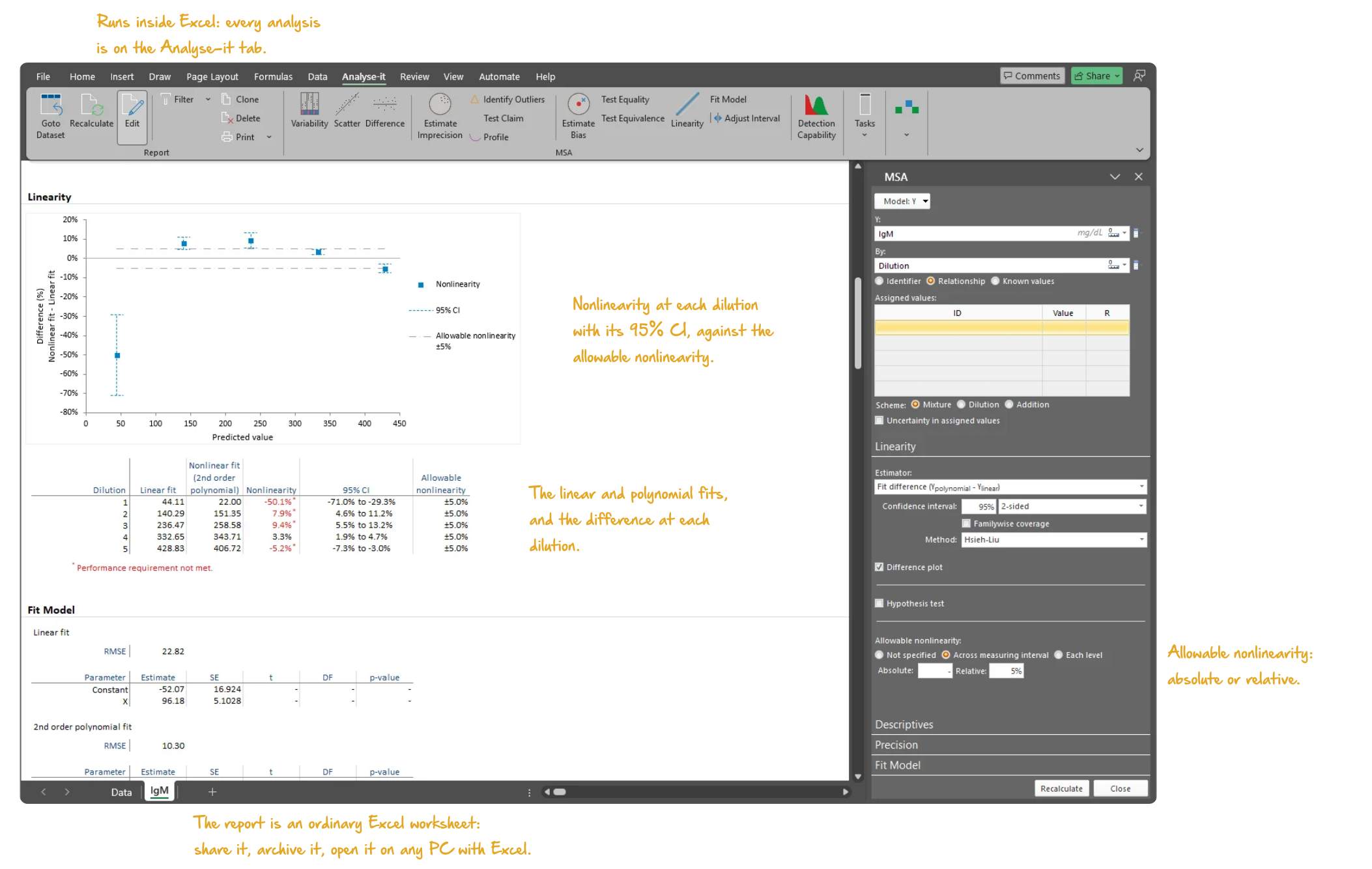
Excel’s chart trendline fits a polynomial, reports an R² and stops. No test of whether the curvature is real, no allowable limit to judge it against, no confidence interval on the deviation at each level, no reportable range. Patient results outside the linear range of a measurement procedure cannot be reported directly — they need dilution, concentration or a qualifier. Define that range too widely and unreliable results are reported; too narrowly and the reportable interval is restricted for no reason. EP06-Ed2 provides the statistical framework. Fit polynomial models, quantify the deviation from linearity and test whether it falls within limits that are clinically acceptable.
Is the deviation from linearity real, or within the noise of the assay? Does it matter — is it inside the allowable limit at every dilution, or only at some? And where the assay is not linear across the whole range, how far must the measuring interval be narrowed before it is?
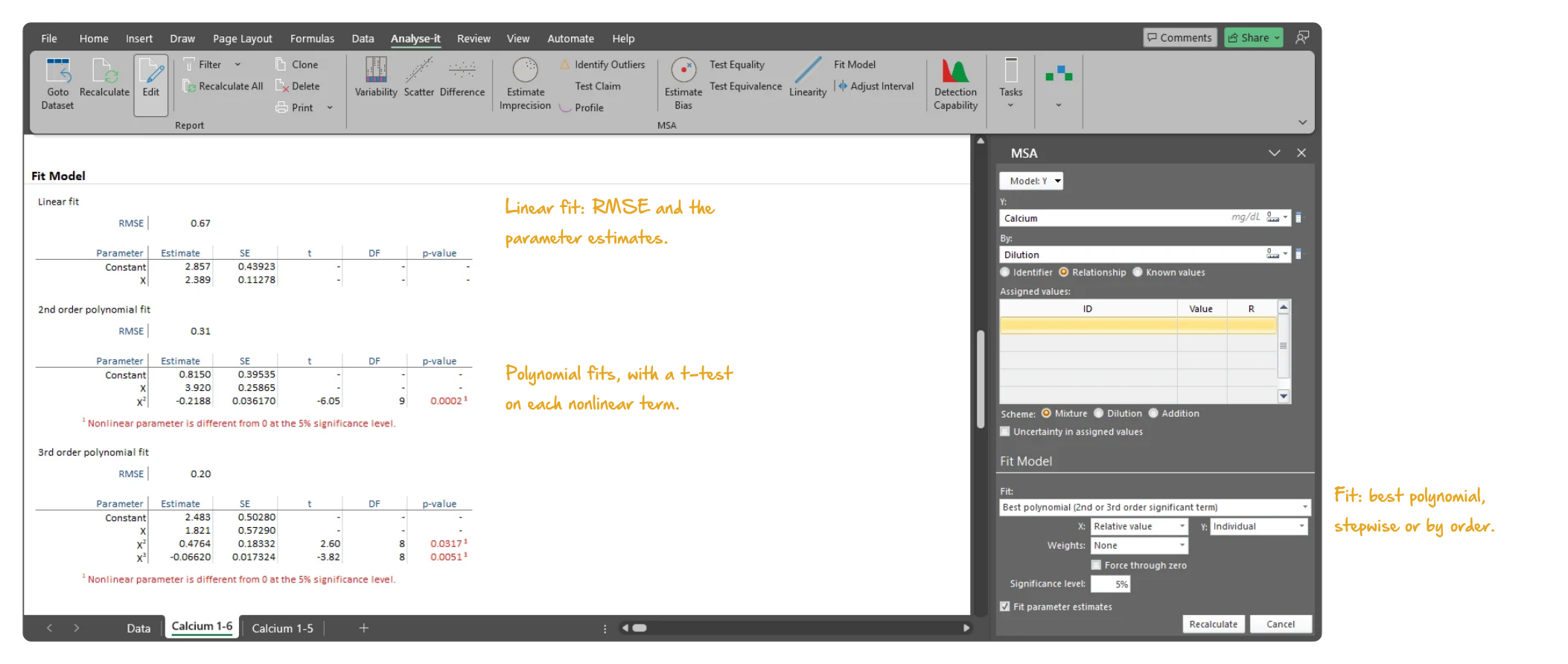
The linear fit is the claim; the polynomial fits are the check. Fit linear through 5th-order polynomials, choose the model by forward stepwise selection or by hand, or take the best of the 2nd- and 3rd-order fits. The linearity plot overlays the linear and polynomial fits on the mean at each dilution, so you can see where they diverge. Where precision is not constant across the measuring interval, fit a weighted model.
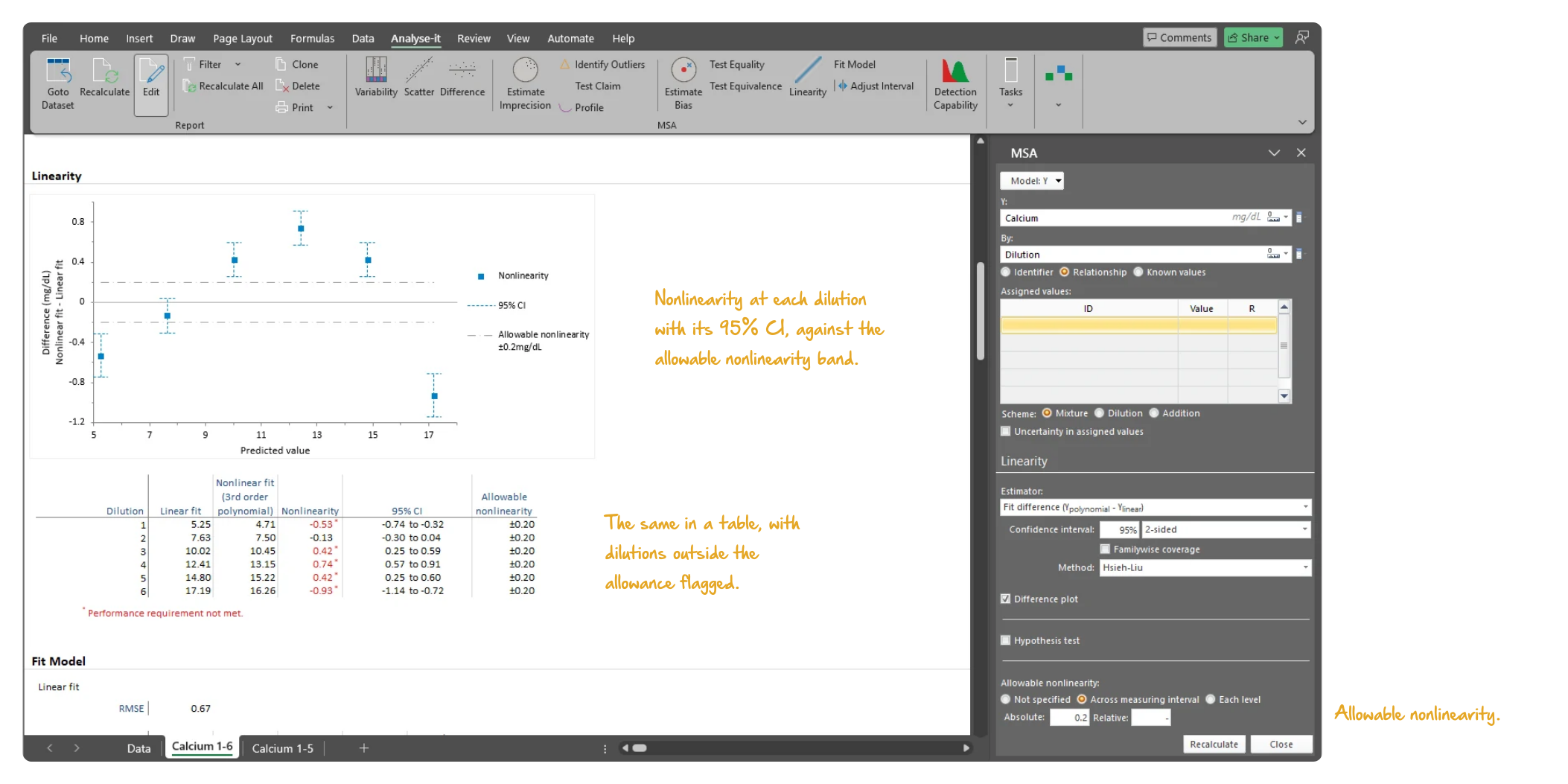
A significant nonlinear term says the curvature is real; it does not say whether it matters. The difference between the linear and the best-fitting nonlinear model is reported at each dilution with a Hsieh-Liu confidence interval. Test equality (is there significant nonlinearity?) and equivalence (is the nonlinearity within an allowable limit, such as ±5%?). The difference plot with the allowable nonlinearity band shows where the deviations occur and by how much.
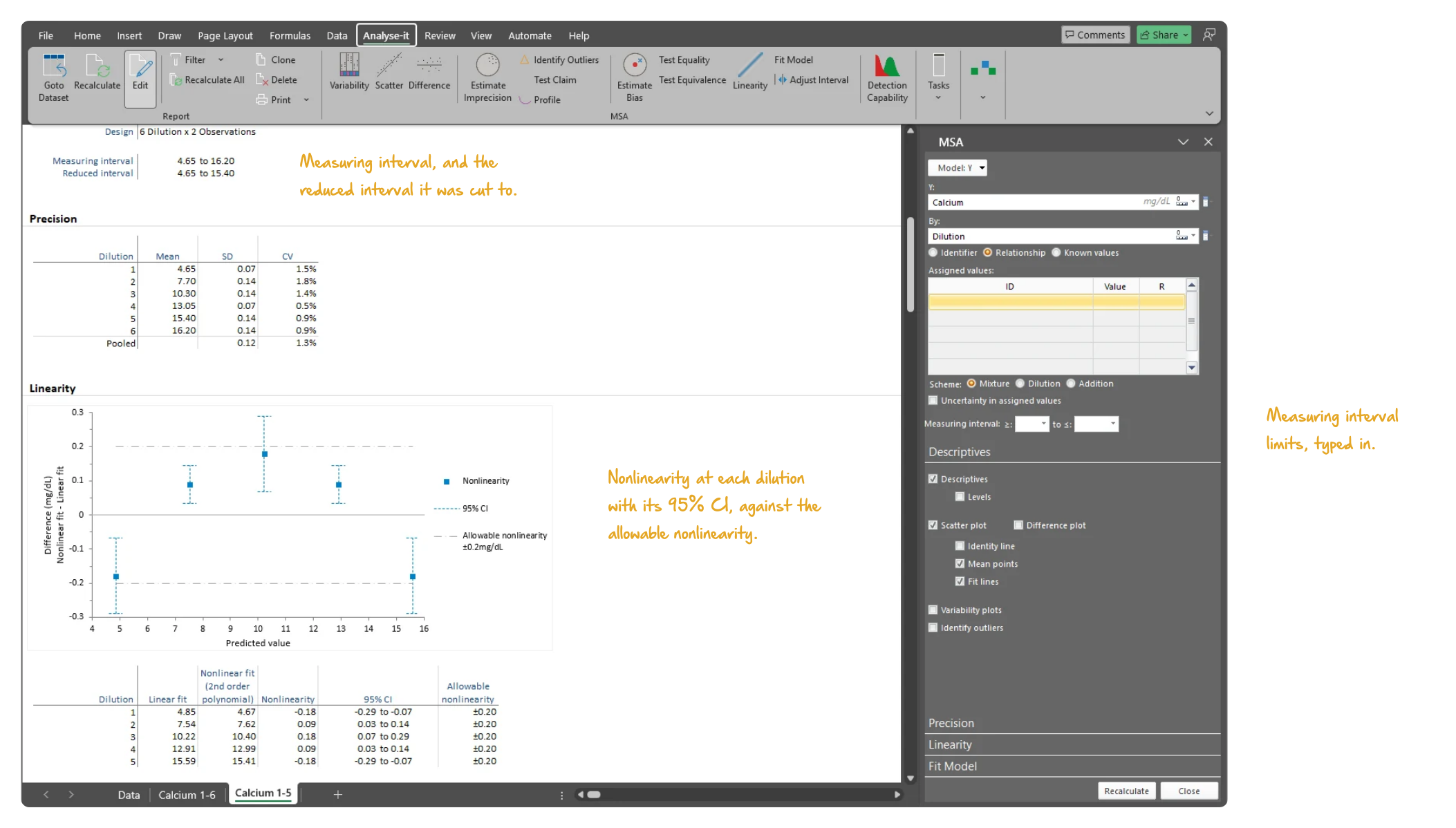
An assay that fails linearity across the whole range is often linear across most of it. Restrict the upper or lower end of the measuring interval and recalculate. The fits, the nonlinearity and the difference plot are re-run on the dilutions inside it. Narrow the interval until every deviation is inside the allowable limit, and the result is the analytical measuring interval — for product labelling or your laboratory’s reporting limits.
Emancipator and Kroll’s nonlinearity measure is a separate procedure, published independently of the EP06 polynomial approach. The measure is available alongside the polynomial approach rather than as a fallback from it. Use it where a study protocol or an established laboratory procedure specifies it.
See linearity evaluation results in detail — polynomial fits, difference plots and nonlinearity testing — using CLSI example datasets you can download and follow along with.
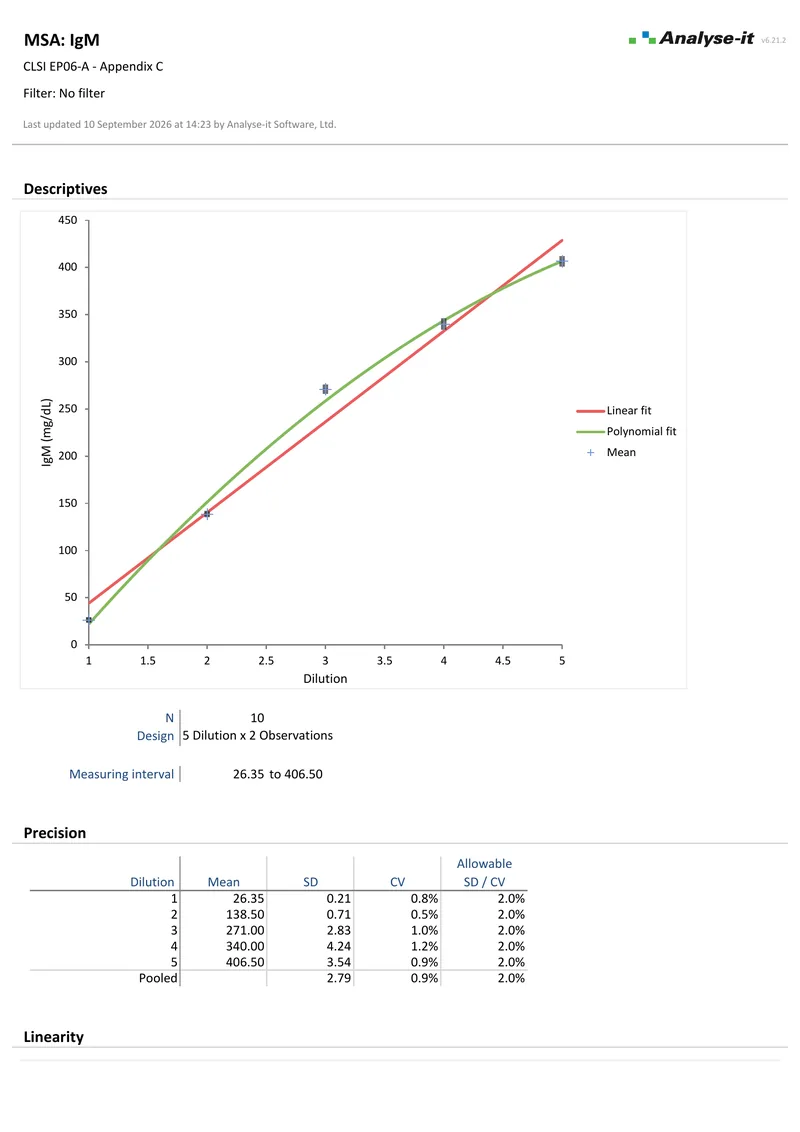 3 pages
EP06-A — Appendix C
3 pages
EP06-A — Appendix C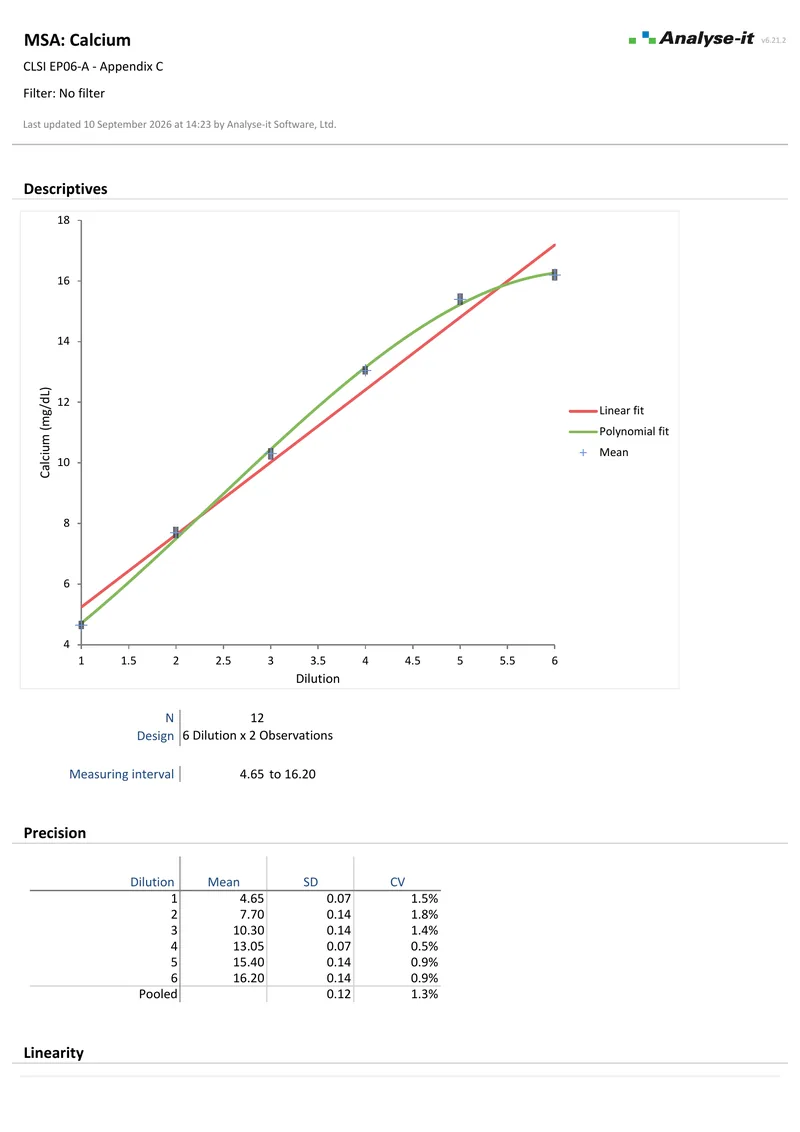 6 pages
EP06-A — Appendix C
6 pages
EP06-A — Appendix CLinearity is one part of measurement system analysis, alongside precision (EP05-A3), bias/trueness verification (EP15-A3), preliminary evaluation (EP10-A3-AMD) and detection capability (EP17-A2).
Related guides in the Learn section: assessing linearity, LoB, LoD and LoQ, the analytical measuring interval and reportable range, and CAP accreditation and AMR verification.
Try it on your own data first. The 15-day trial is every feature from all five editions — install it and start straight away.
Method Validation edition: US$ 475 per year or US$ 1155 for a perpetual licence. Every purchase carries a 30-day money-back guarantee. Need a quote for purchasing? Choose the licence on the pricing page and click Get a quote.