Fitting a precision profile
Fit a precision profile function to describe the imprecision across the measuring interval.
-
On the Analyse-it ribbon tab, in the MSA group, click Profile.
The Precision Profile panel opens in the analysis task pane.
- In the Precision profile drop-down list, select CV%.
- Select the Reproducibility, Within Factor A, and Repeatability check boxes.
- Select the Logarithmic X-axis scale check box so that the scale of the precision profile will show the lower levels more clearly.
- Select the Fit variance function check-box and then in the Model drop-down, select 3-parameter.
-
Click Recalculate.
The analysis report updates.
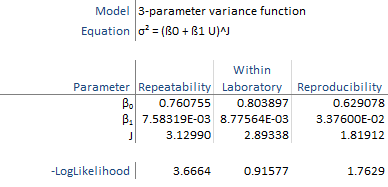
The precision profile show the relationship between the imprecision and the measurand level. The variance function fit describes the relationship as a continuous function.
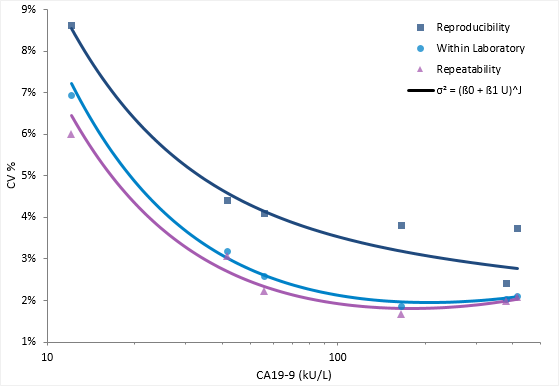
The variance function describes the relationship between the variance and concentration using a 3-parameter power model typically used for immunoassays.