Monitoring improvements
After a process improvement programme is put in place it is important to monitor the results.
- On the Analyse-it ribbon tab, in the Report group, click Goto dataset.
-
On the Analyse-it ribbon tab, in the
Dataset group, click
Filter.
The filter is removed from the dataset and the additional data after the training plan was implemented is shown.
- On the Analyse-it ribbon tab, click Return to analysis.
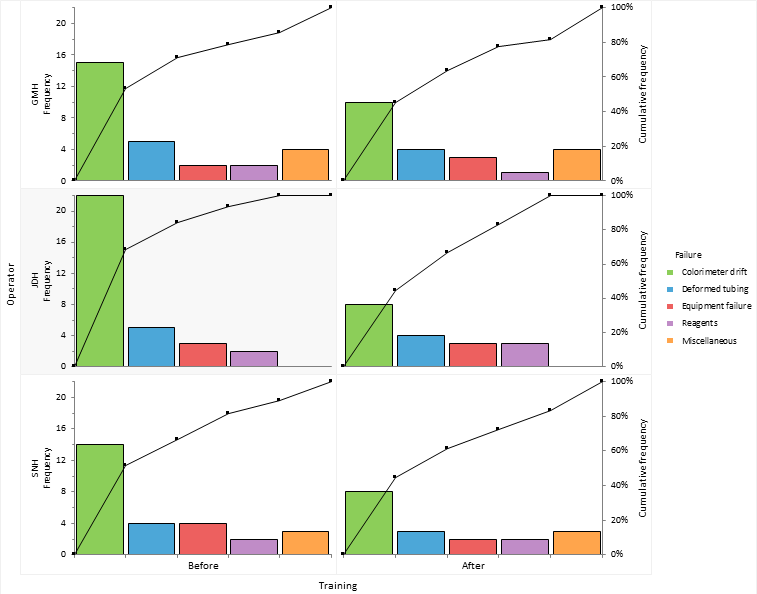
- In the Factor (column) drop-down list, select Training.
- Click Recalculate.
Implementing a training plan has reduced the amount of downtime dealing with the colorimeter drift issue. And the worst performing operator is now the best.
Next topic: Sharing knowledge