Activating a license
Activate a license to use the software on your computer.
- Ensure that TCP port 443 (HTTPS) on the firewall is open for communication to secure.analyse-it.com on your computer. Analyse-it uses your internet connection to simplify activation.
- Start Microsoft Excel to start Analyse-it.
-
On the Analyse-it ribbon tab, click Analyse-it, and then click Activate.
The Activate window opens.
-
Click Next.
The Activate window shows the license details.

-
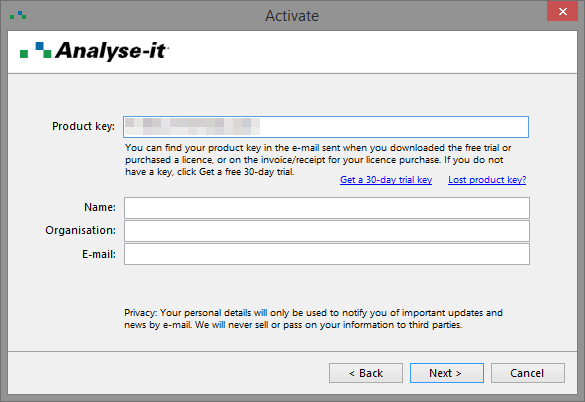
Enter the Product Key and the
Name, Organisation, and
E-mail of the registered user of the software.
The registered user may occasionally receive an e-mail with important information about updates to Analyse-it. They can opt-out via the unsubscribe link in the e-mail they receive.
-
Click Next.
The software uses your internet connection to verify the product key and activates the license on your computer.
-
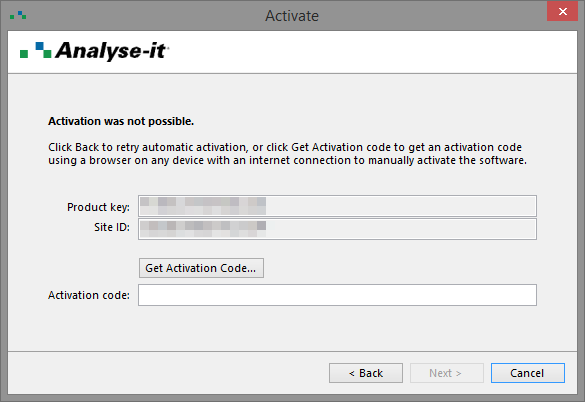
If activation fails for any reason you must activate manually:
-
Click Get Activation Code.
Your browser opens the manual activation page at http://analyse-it.com/activate. If your computer does not have an internet connection, you can open the page on any computer or device with an internet connection.
-
On the manual activation page, enter the Product
Key and Site ID from
the Activate window.
Note: The Site ID is unique to each computer. Do not contact technical support asking for a Site ID as we cannot provide it. It only shows on the Activate window in the software.

- Enter the Name, Organisation, and E-mail of the registered user of the software.
-
Click Get Activation Code.
The activation code shows in your browser window.
- In the Activate window, enter the Activation code from your browser window.
- Click Next.
-
Click Get Activation Code.
- Click Close.
Related concepts
Related reference