
To illustrate the concepts, we will use data on the copper concentration in a plating process. Copper concentration in a plating pool is controlled by an automated colorimeter that takes readings and adjusts the concentration as required. To verify the correct functioning of a new colorimeter system, copper concentration is measured manually six times per shift. Six operators regularly perform the shifts.
In this tutorial you will perform the following tasks:
Process control charts identify special-causes of variation that need to eliminated to bring the process under control, so the results are predictable and can be used to determine the ability of a process to meet customer specifications.
During the installation period of a new automated colorimeter for controlling the copper content in the plating process control charts can be used to identify special-causes of variation that need to eliminated to make the process perform predictably. The Xbar and R charts plot the mean and range of the copper concentration in the plating pool respectively.
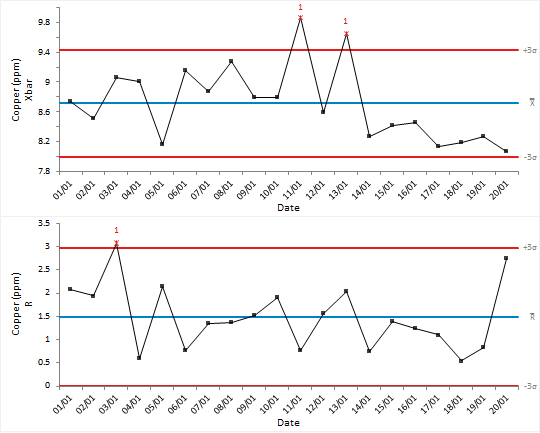
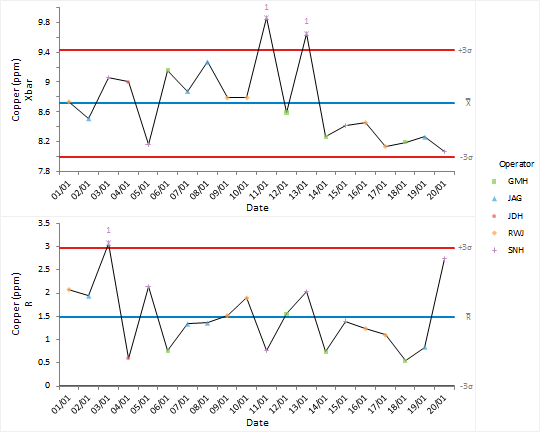
When data are collected under a variety of different conditions the meaning of the data can be hard to see. Stratification within a process can lead to hidden underlying patterns.
Control chart points are plotted using a symbol and color depending on the operator. It is easy to see that the operator SNH was responsible when the out-of-control signals occurred.
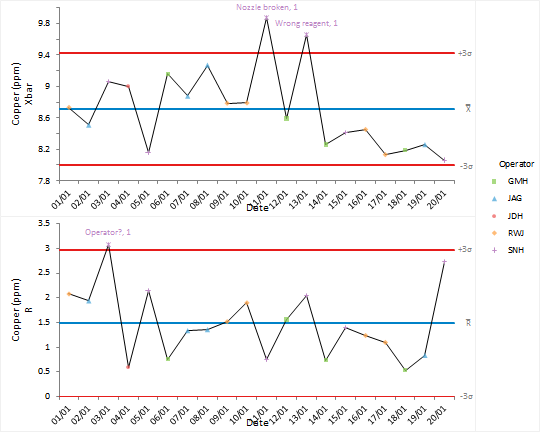
After investigating the causes of the out-of-control condition we document them in the worksheet alongside the data.
Special-causes of variation need to be identified and eliminated from the process.
Points on the control chart are labelled with the reason for the special-cause variation. After discussion of the causes of problems with the team, and increased training, procedures or modifications are put in place to ensure they are eliminated.
Effective use of control charts requires periodic revision of control limits when changes to the process cause a reduction in variability or shift to a new operating point.
The standard Shewhart control limits are good at detecting large shifts but are not sensitive to smaller shifts. Applying advanced out-of-control rules has identified a shift to a new process mean towards the end of the installation period suggesting that the process was moving to a new phase.
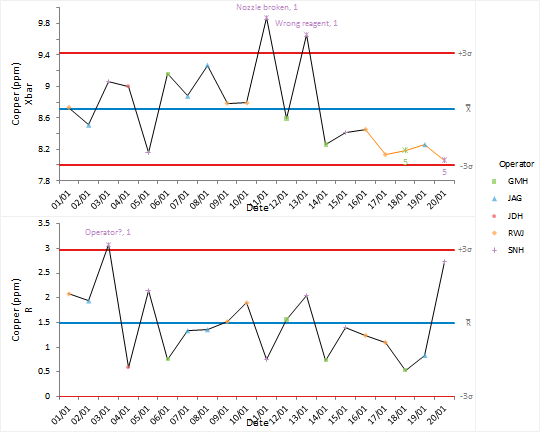
After changes in a process it is necessary to revise the control limits.
New control limits are computed for the new phase of the process. You can see the limits are much narrower and no-special cause variation is present.
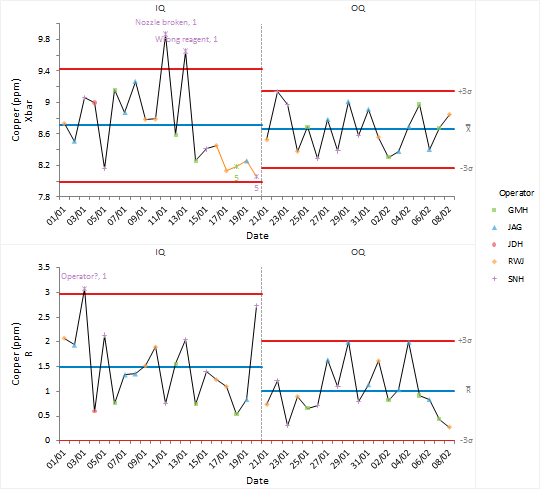
Once a reliable set of control limits are determined they can be used to monitor future production.
Control limits for the production phase are computed based on the process mean and standard deviation computed during the OQ stage.
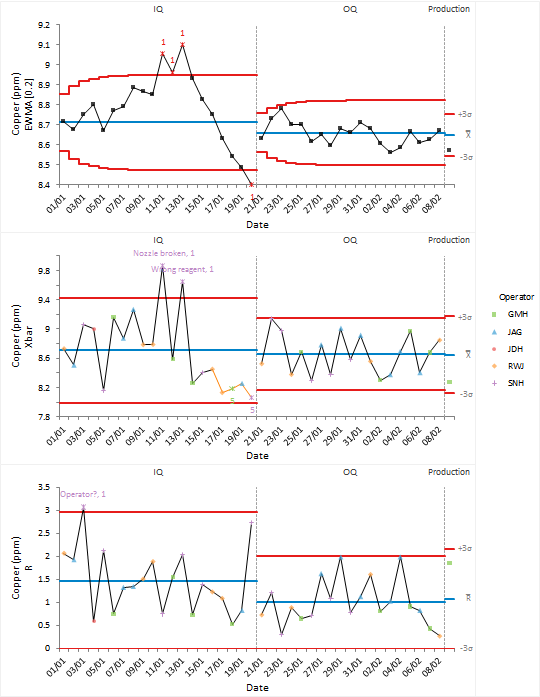
The EWMA control chart is more sensitive to detecting small shifts in the process mean than the Shewhart control chart and is an alternative to the advanced control rules. Small drifts in the process mean may indicate a drift in the calibration of the automated colorimeter that is used to control the amount of copper in the plating pool.