
Identifying shifts (and other patterns)
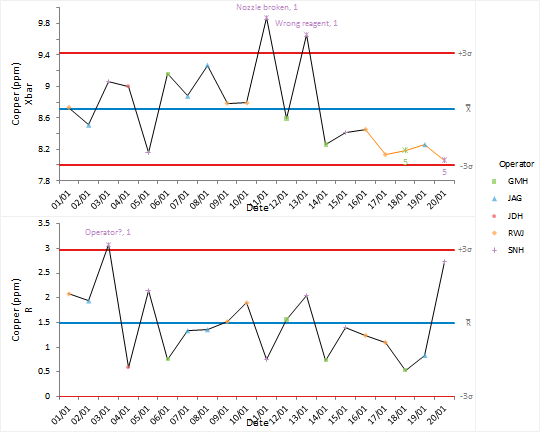
Effective use of control charts requires periodic revision of control limits when changes to the process cause a reduction in variability or shift to a new operating point.
The standard Shewhart control limits are good at detecting large shifts but are not sensitive to smaller shifts. Applying advanced out-of-control rules has identified a shift to a new process mean towards the end of the installation period suggesting that the process was moving to a new phase.
Next topic: Revising control limits