
Identifying special-causes of variation
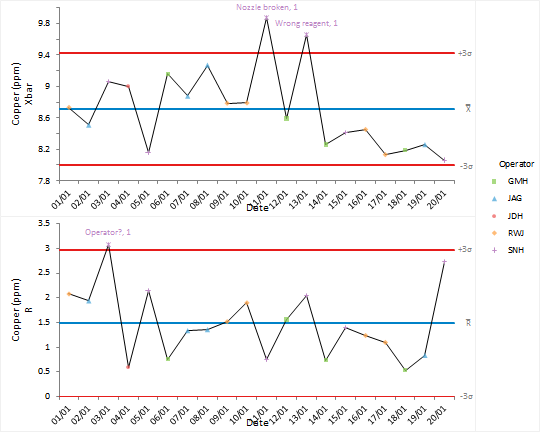
Special-causes of variation need to be identified and eliminated from the process.
Points on the control chart are labelled with the reason for the special-cause variation. After discussion of the causes of problems with the team, and increased training, procedures or modifications are put in place to ensure they are eliminated.
Next topic: Identifying shifts (and other patterns)